Start your day with Overview
Overview brings findings that may need your attention into one place. Instead of starting with a blank question, start with a card, check its evidence and decide what to do next.
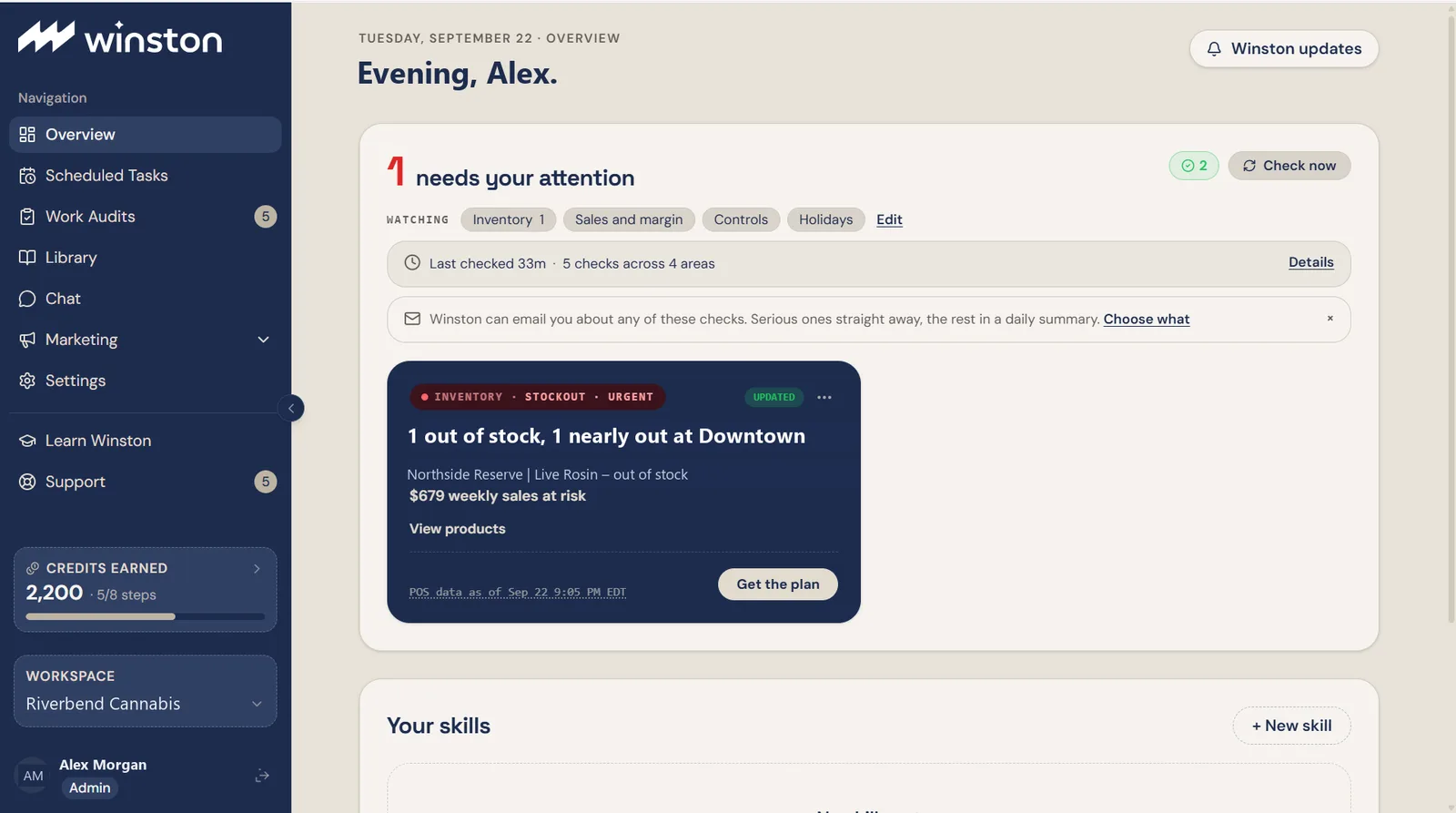
Read one card
- Confirm the workspace in the left menu. If the finding names a store, check that too.
- Read the headline and impact. A card may describe one issue or group several related findings.
- Open View products where the card offers it. The card expands in place and lists each product with its own state and its share of the figure.
- Check POS data as of or the source date. This tells you how old the supporting data is.
- Use Get the plan to take the finding to Winston, or View products to see what is included.
A useful first message is:
Opening a review is not the same as approving a change. If a message is drafted for you, read it before sending. A draft asking for an order plan can be edited into a narrower question.
Why there are only a few cards
Overview prioritizes findings rather than displaying every monitored item at once. A card can cover several products or related issues: its tag line says how many, as in 2 findings, while the headline names only one of them. The number of cards is not the number of things being watched.
The number and selection of cards can vary by workspace settings and available findings.
Check coverage as well as alerts
Open Details near the monitoring summary. It lists each check with its own state: nothing to report, a count below your sensitivity, or a note that it only runs after a holiday. These mean different things, and none of them is a clean bill of health. See Understanding cards and statuses.
Set your priorities
Use Edit beside Watching to choose monitoring areas, sensitivity and standing instructions. If a note could not be applied, open Edit and read the explanation before assuming the new instruction is active. See Choose what Winston watches.
What "resolved" means
The count beside Check now opens Resolved today. Each line names the finding, the check that stopped reporting it, and how long ago: "no longer reported by the Stockout risk check", for example. That is all it means. A cleared finding does not by itself prove that Winston placed an order, fixed a record or saved the amount shown on an earlier card. Verify any real-world action separately.
If Overview has no relevant findings yet, check your connections or try a supported prompt in Learn Winston. An empty queue is not proof that every part of the business was checked.