Connect Onfleet
Connecting Onfleet lets Winston look up your deliveries, drivers and teams and report on them. An Onfleet admin creates an API key, then you paste it into Winston. This page shows each screen.
Before you start
- You need to be an Owner or Admin in Winston.
- You need an Onfleet administrator to create the key. Only admins see API & Webhooks in Onfleet's settings.
1. Create an API key in Onfleet
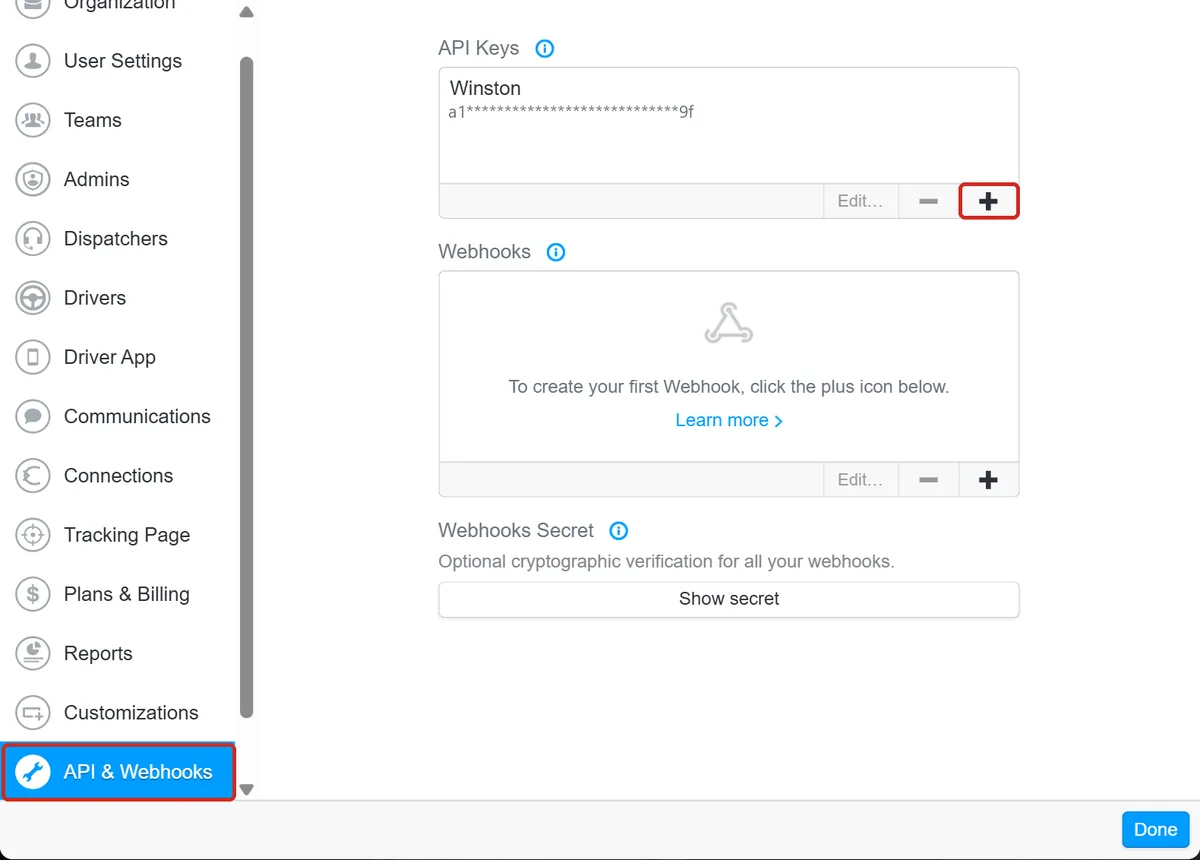
In the Onfleet dashboard, choose Settings at the bottom of the left menu, then API & Webhooks. Under API Keys, choose the +. In Add API key:
- API Name: something you'll recognize, such as Winston.
- Access: keep API key can access all data. The other choice, API key can only access tasks it creates, would hide all your existing deliveries from Winston.
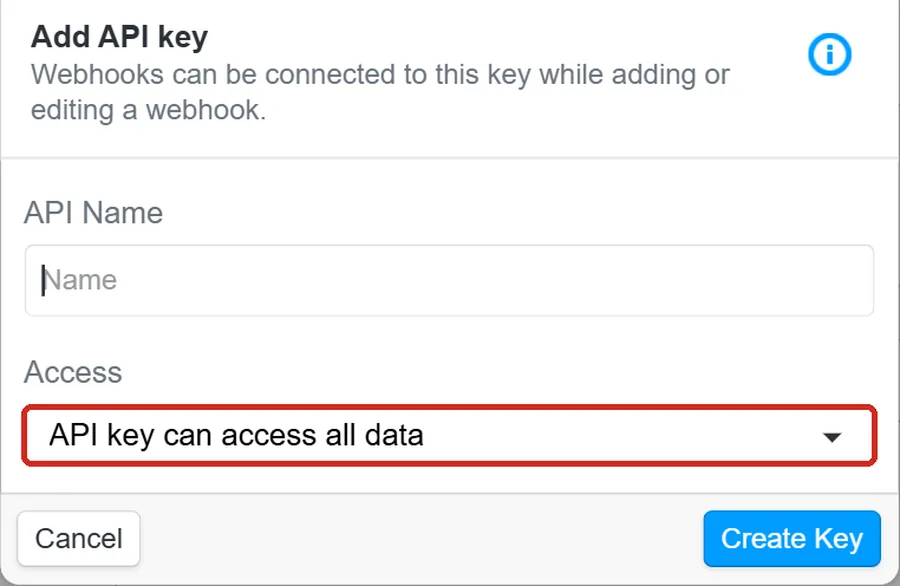
Choose Create Key and copy the key as soon as Onfleet shows it. Afterwards the list shows only its first and last two characters, as below.
2. Paste it into Winston
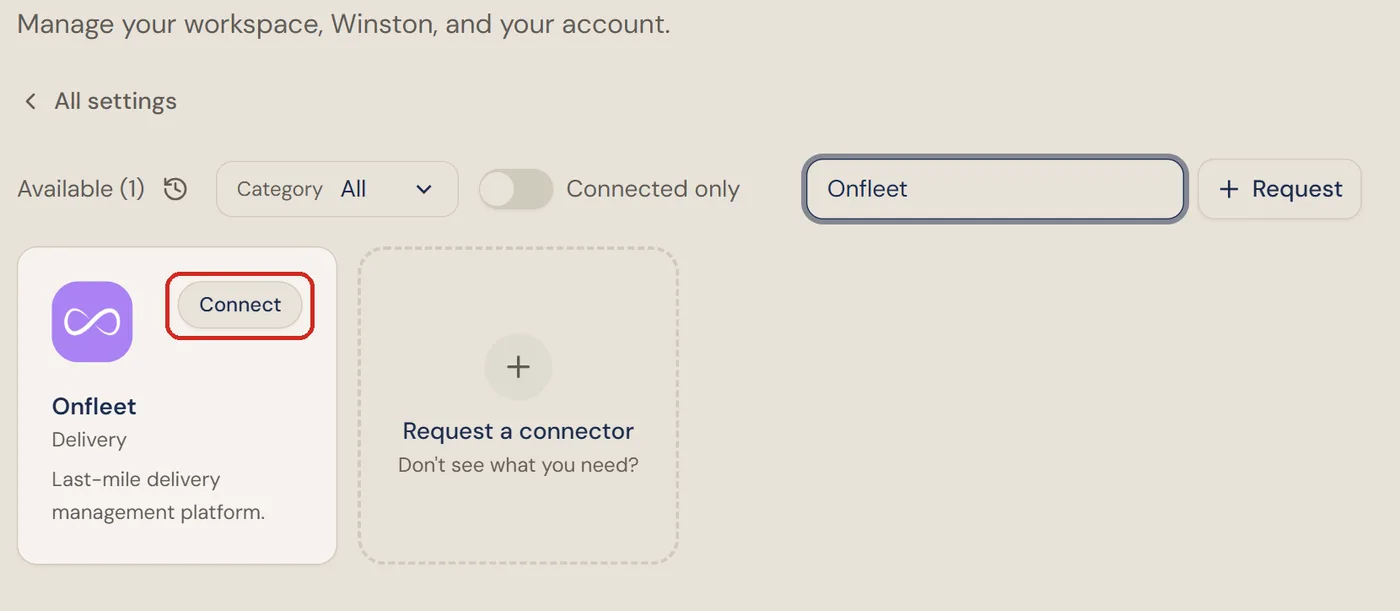
In Winston, open Settings → Connections, find the Onfleet card (under Delivery, or type "Onfleet" into the search box) and choose Connect.
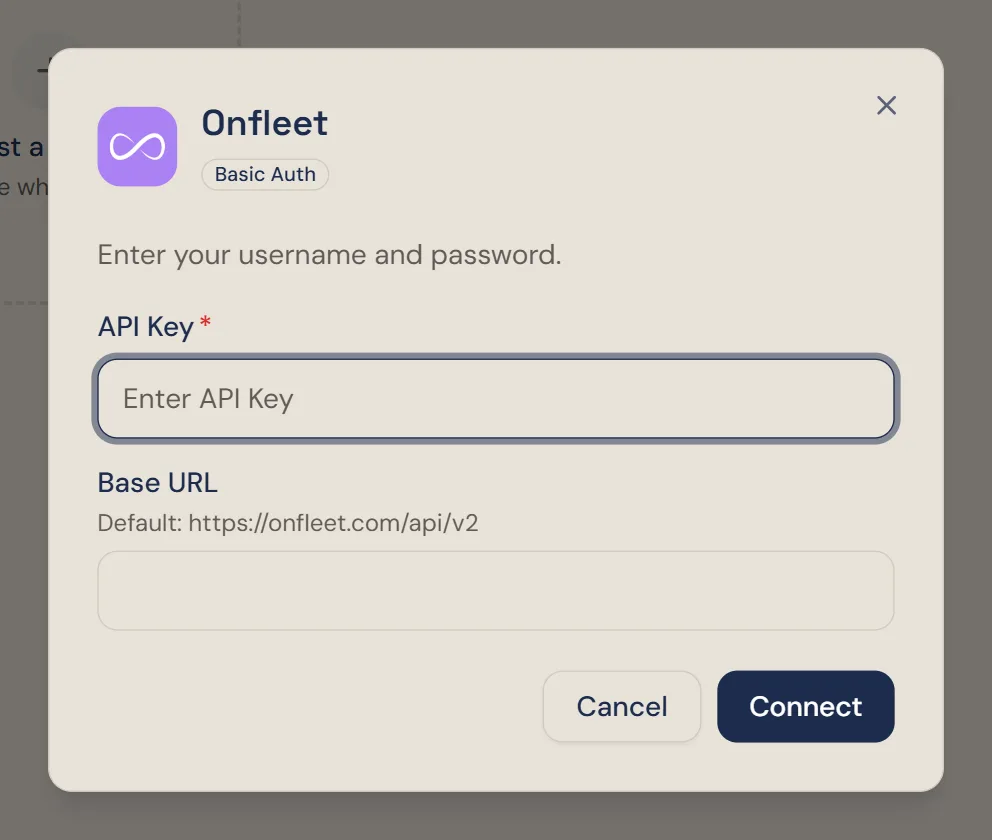
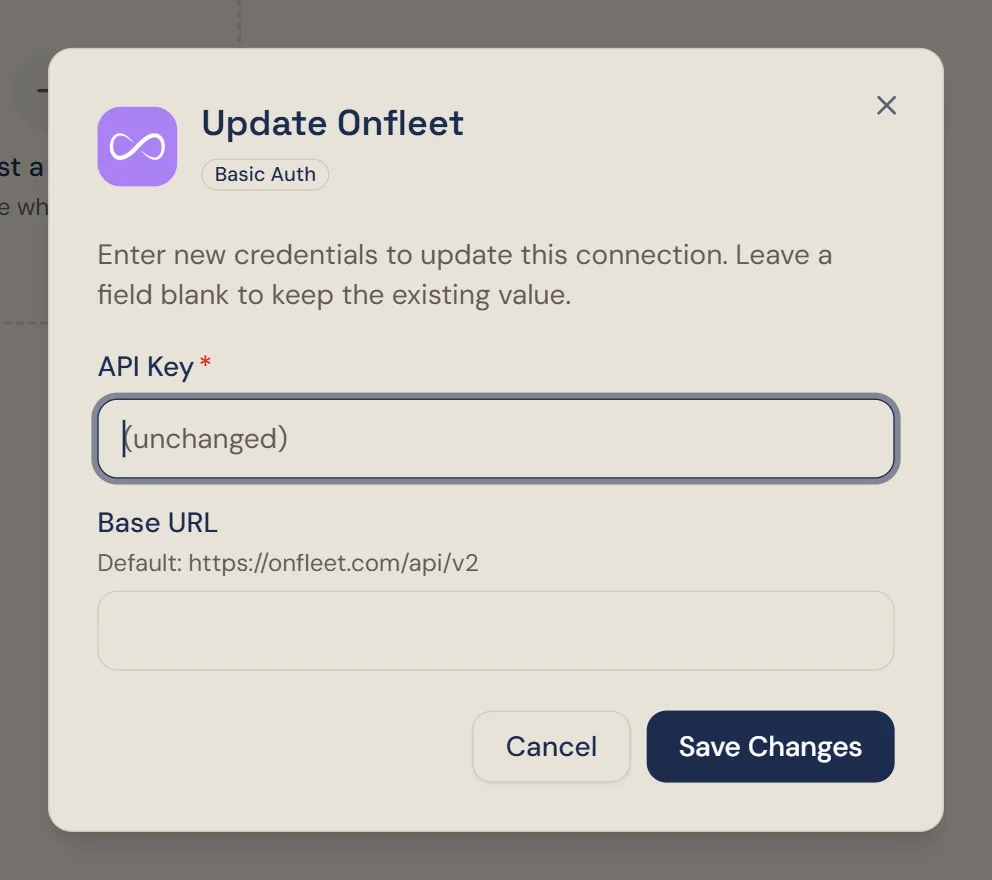
Paste the key into API Key and choose Connect. The dialog mentions a username and password, but the key is all it needs. Leave Base URL empty unless Onfleet has given you a different address; empty means https://onfleet.com/api/v2.
3. Check it is connected
Winston checks the key with Onfleet and confirms with Onfleet is connected. Choose Done. The card then shows Connected.
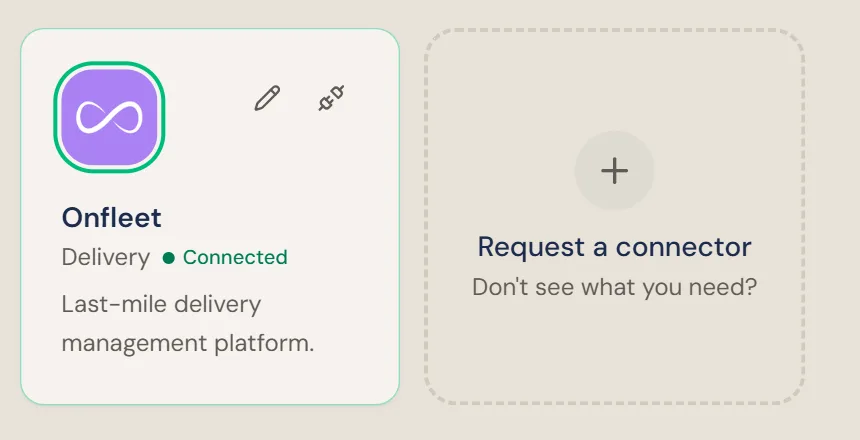
Then ask Winston a small read-only question in Chat, for example "Which Onfleet organization are you connected to, and what teams and drivers can you see?" Winston names the organization and lists its teams and drivers.
Replace the key
If the key is deleted or replaced in Onfleet, Winston's connection stops working. Choose the pencil on the Onfleet card, paste the new key into API Key and choose Save Changes. A field left blank keeps its current value.
Disconnect
To stop Winston using Onfleet, choose the plug icon on the Onfleet card and confirm Disconnect. This applies to the whole workspace.
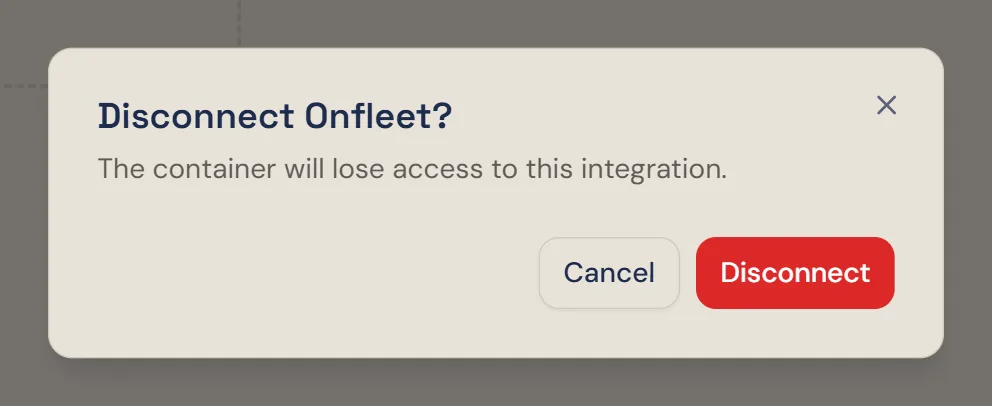
Disconnecting removes the key from Winston but does not delete it in Onfleet. To make sure it can no longer be used, select it under API Keys in Onfleet and remove it with the −.
If something does not work
For other connections, see Connect your tools. Anything else, see Troubleshooting or contact Support from the dashboard.