Review and approve
Reviewing a finding, approving a proposed action and confirming the result are three separate steps.
Looking at a finding is not approving one
On Overview, a card's main button (Get the plan, Prepare, Review all, Fix it) takes a finding to Winston so you can look into it, and View products only expands the card. None of them is Approve. Approving happens in Work Audits, on a separate item, after Winston has prepared something. Read any drafted message before sending it, especially if it asks for a plan, export or external action.
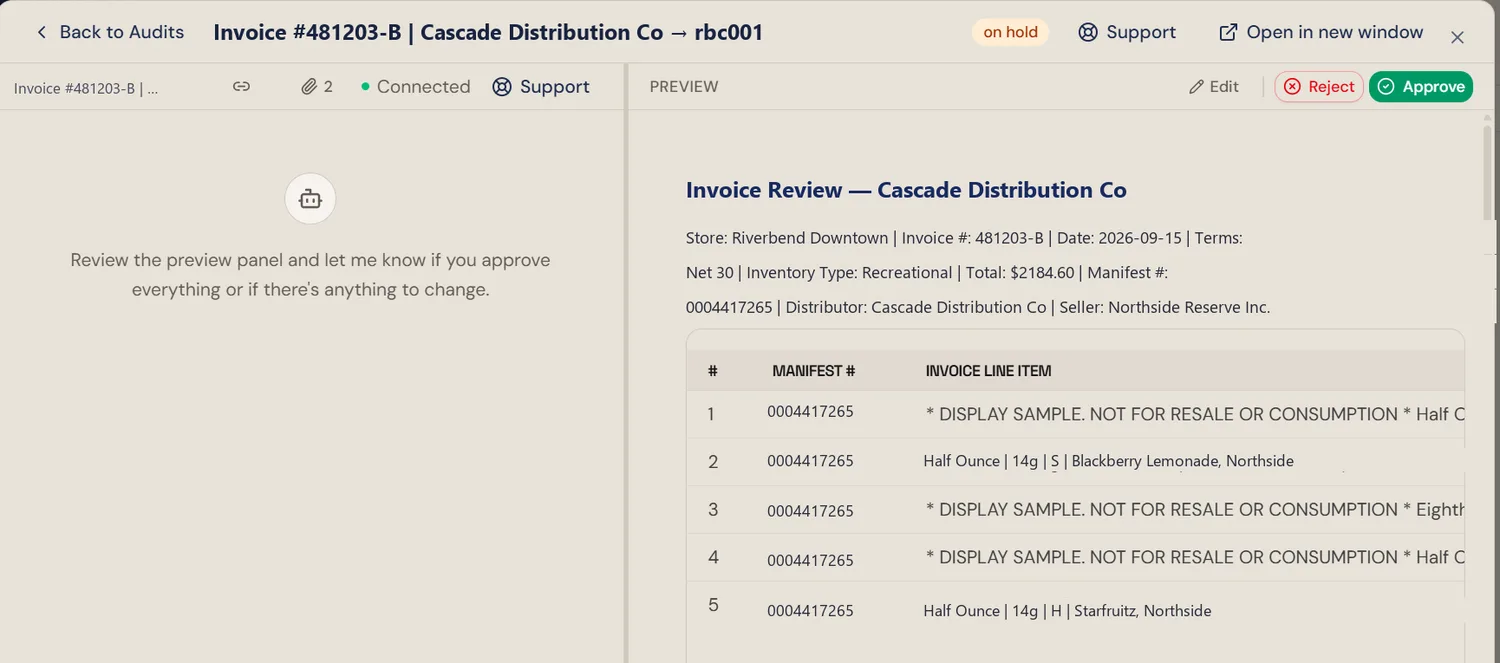
Check the action path
Work Audits shows work that has been routed for review. Some direct chat requests and configured scheduled deliveries can follow a different path. Do not assume every write, post or publication will create a Pending card.
The queue opens on the last 30 days. An older item is still there; change the period at the top of the page before concluding it was never created. Search and the sort order sit beside it.
Before you approve
Read the card's proposed action, preview the output and confirm the destination. Check the store, date range, amounts, recipients and any missing information relevant to the decision.
- Approve authorizes the action described by that item. It cannot grant a connector an operation it does not support or permission it does not have.
- Reject declines the pending proposal. It does not reverse an action that already happened elsewhere.
- Edit in Chat lets you request a revision. Recheck the revised item before approving.
- On a Suggestions card, Approve can open a conversation that starts the work rather than running it in the background. Read what Winston sends first, the same as any other draft.
Only use approval controls you are authorized to use under your team's process. Ask an admin which members can approve in your workspace; do not assume approval is restricted to owners.
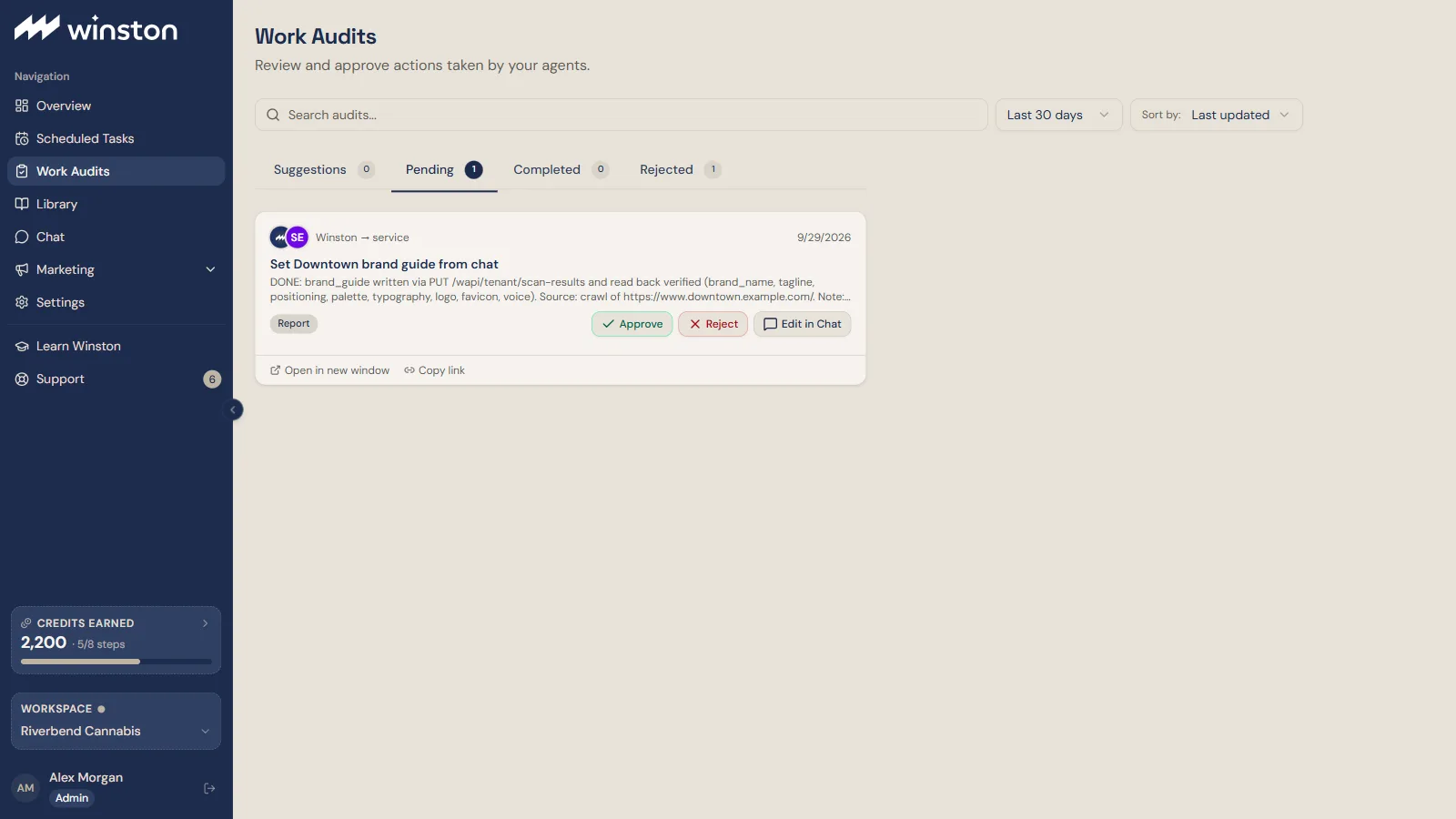 12
12- 1The status tabs: Suggestions, Pending, Completed, Rejected.
- 2Approve, Reject, or Edit in Chat.
Verify the result
After approval, check the item status and the actual file, published page, message or destination record. A completed analysis or approval does not by itself prove delivery succeeded. If a result is missing, investigate before retrying an action that might create duplicates. See Scheduled-task failures when the work was scheduled.
Library and sharing
Library holds saved outputs. Check whether the item is still a draft or ready to use and open it before sharing. Confirm the intended audience and the item's access controls. If it has an access code, treat the link and code as sensitive and share them only with intended recipients.
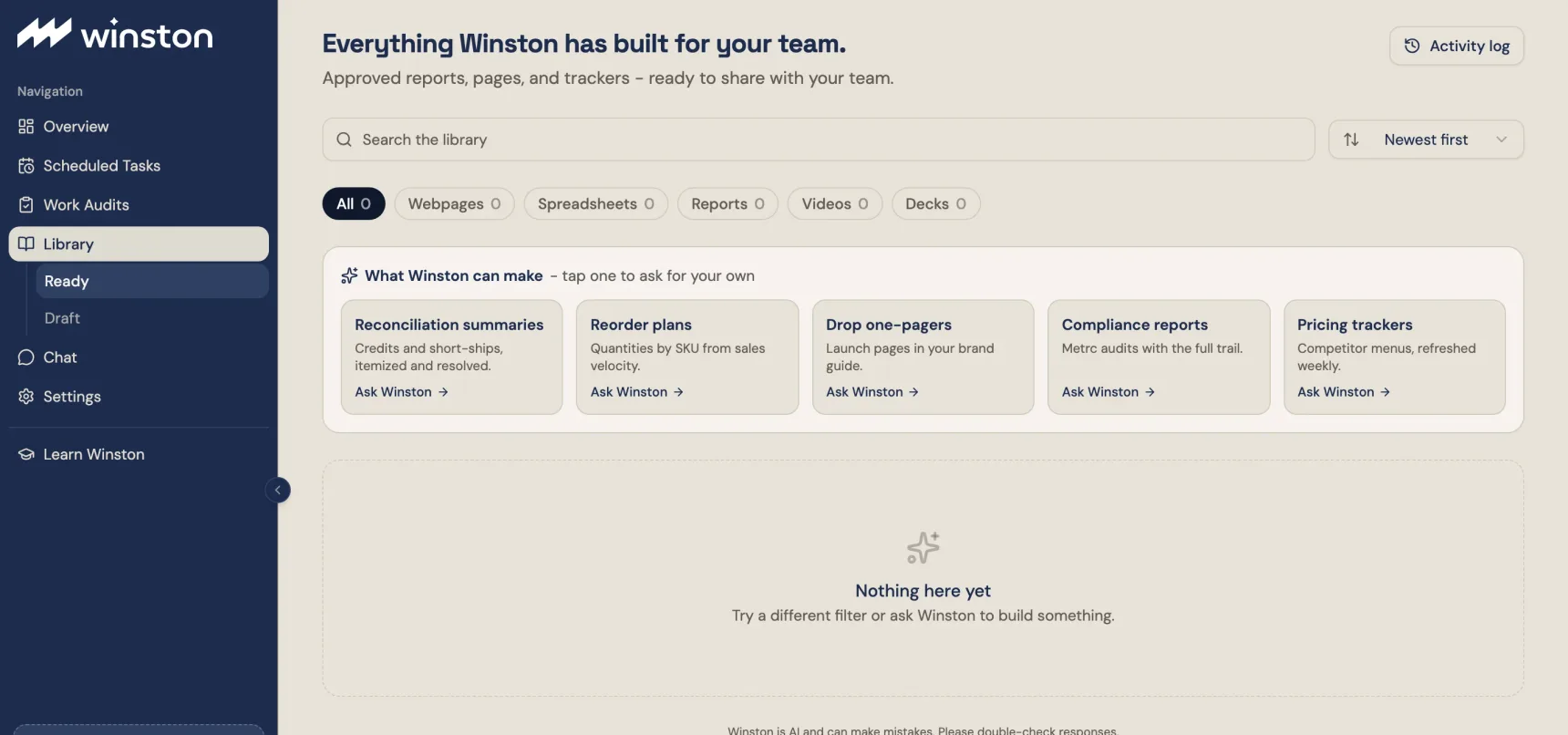 1
1- 1Filter by type: webpages, spreadsheets, reports, videos, decks.