Asking Winston
A useful request says what you need, which data to use and what Winston may do with the result.
Give the request a scope
Include the stores, time period, timezone, measure, ranking and output format. For business reporting, say whether you want completed days or a partial current day.
Use store names Winston can identify. If you are unsure, ask which stores the connected source covers. Do not assume a POS connection also provides every store's regulatory license or marketing history.
Some starters use defaults; others ask clarifying questions. Read What to expect and check the resulting scope rather than assuming every prompt behaves the same way.
When you start from an Overview card
The card has a particular finding and saved evidence behind it. Ask whether Winston is explaining that snapshot or retrieving newer information. A fresh query and a saved card can differ without either calculation being wrong.
Opening a review may prepare a message without sending it. Read the draft first. See Start your day with Overview.
Check the answer
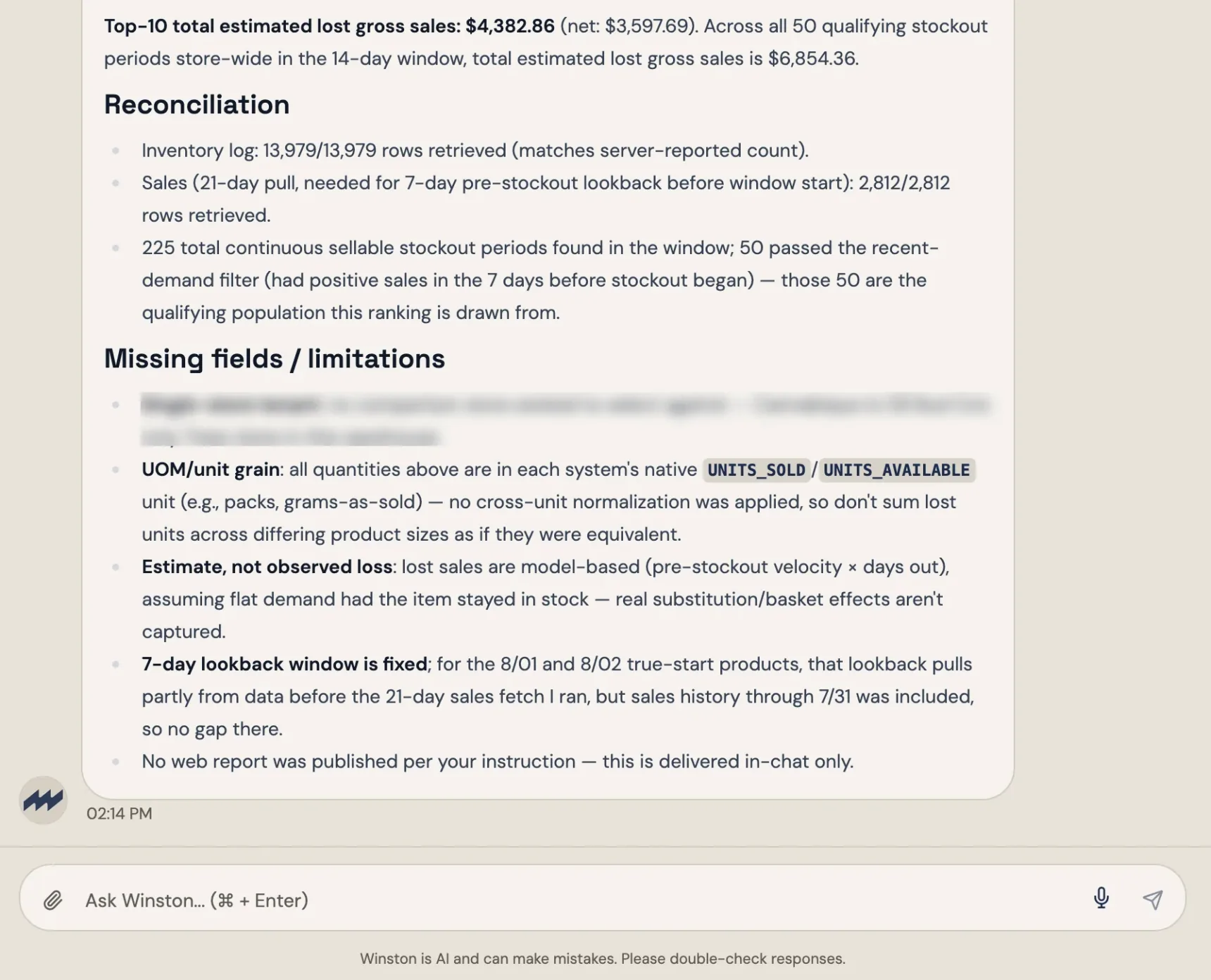
Look for the store scope, period, timezone, source dates, formulas and limitations. If a field or explanation is absent, ask for it. Do not assume every response automatically includes a full reconciliation.
 1
1- 1Missing fields and limitations: read this before you act on the number.
For estimates, ask what assumptions matter. For reported actions, check the actual output or destination as well as the chat reply. See Reconcile a number.
Continue or start fresh
Use the same conversation for follow-ups about that work. For a new topic, start a new conversation and restate important requirements. Do not assume every detail from every past conversation is available indefinitely, or that a rule you set once is still the one in use. When an answer depends on a saved preference or definition, ask which saved rule Winston applied and restate it if it matters.
Before retrying a request that sends, submits or changes a record, check whether the destination already has the result. Automatic recovery and duplicate prevention depend on the workflow in use; confirm them for the workflow rather than assuming them. See Invoice review for the check-before-retry steps.
If work appears stuck, check its current status before restarting. Stopping a response does not necessarily undo work already performed. See Troubleshooting.